
IPTV UK means television delivered over an internet connection rather than a rooftop aerial, satellite dish or traditional cable feed. You can watch on a Smart TV, streaming stick, phone, tablet or computer, provided the service supports that device and you have a reliable connection. The technology is simple from the sofa. The details behind the subscription are where it pays to slow down and ask questions.
This guide explains what British IPTV actually is, how live channels reach your screen, what equipment you need and which claims deserve a closer look. It also covers sports, picture quality, VPNs, rights to content, prices and refunds. If you are comparing an IPTV subscription in the United Kingdom, use it as a practical checklist before you spend money.
What does IPTV UK mean?
IPTV stands for Internet Protocol Television. Internet Protocol is the system that moves information across networks, including the one bringing this page to your device. With IPTV, the programme arrives as data over a network and an app or receiver turns that data into the picture and sound on your screen. “IPTV UK†usually describes a service aimed at people in Britain, often with UK channels, British sport, English-language support and prices in pounds. It does not describe a particular company, licence or quality standard.
The term is sometimes used too loosely. A broadcaster’s own app can deliver television over the internet. A broadband company can bundle internet TV with its connection. A separate British IPTV subscription can also provide a catalogue of live channels and on-demand programmes through a compatible player. They share a delivery method but may have very different commercial terms and content rights. Ofcom explains internet-delivered television and why an internet channel is not automatically covered by the same rules as a conventional broadcast channel.
So the useful first question is not just “Is this IPTV?†Ask what channels are included, where the streams come from, which devices are supported, how long the plan lasts and what happens if it fails. A sensible answer should be available before payment, not only after you receive a login.
How does an IPTV stream reach your TV?
The usual route has four parts: the programme source, the service that makes it available, your home internet connection and the player on your device. When you pick a channel, the player requests its stream. Your router receives small packets of video and audio data, and the player buffers a short amount before showing the picture. If data arrives steadily, playback feels immediate. If the connection, service or device falls behind, the picture can pause while the buffer catches up.
An electronic programme guide, usually called an EPG, adds the schedule beside live channels. Catch-up, where offered, lets you replay a recent programme after it has aired. Video on demand, or VOD, is a separate library of films and series you choose at any time. These features depend on the service and the player. A large channel number on a sales page tells you little about how reliably a specific channel works on a busy Saturday evening.
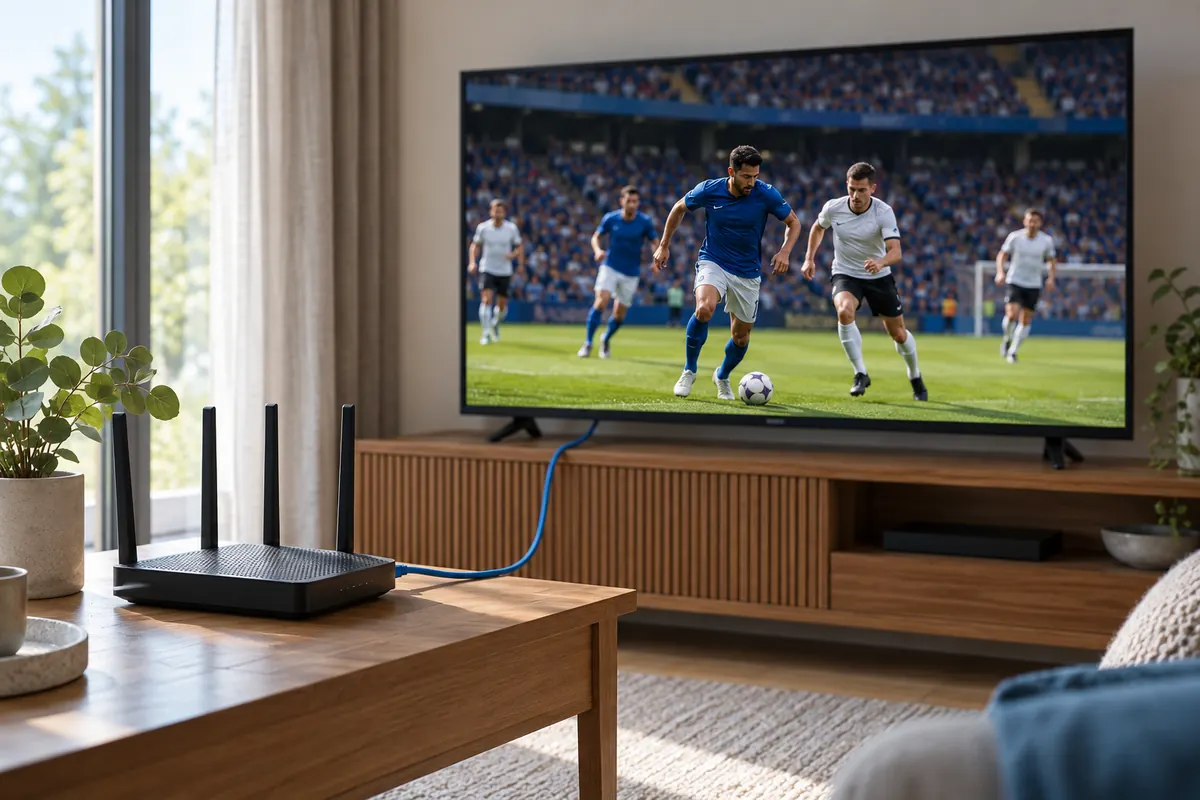
A wired Ethernet connection from router to TV or streaming box often removes Wi-Fi as a source of trouble. That does not make the service itself faster, but it helps isolate where a fault sits. If you cannot run a cable, keep the device close to a good Wi-Fi signal and check whether other household activity is competing for bandwidth. One overloaded phone backup can be more disruptive than the headline speed on your broadband contract suggests.
How is IPTV different from Freeview, satellite and ordinary streaming apps?
Freeview uses an aerial, satellite TV uses a dish and cable TV uses a provider’s physical network. Internet television uses your broadband connection for the programme itself. You may still watch through the same television, but the path to the screen has changed. If your internet goes down, internet-delivered channels can stop even while ordinary aerial channels continue to work. Equally, IPTV can be useful where an aerial connection is awkward or when you want to watch on several types of device.
It is also worth separating the delivery method from the app. A familiar streaming app might offer one broadcaster’s programmes and have its own account, schedule and subscription. An independent IPTV player is more like the television set’s controls: it can present channels and playlists supplied by a separate service, but installing the player does not itself grant rights to any content. An “IPTV box†is simply hardware that runs a suitable player. You do not need one if your existing Smart TV, streaming stick or phone already supports the service.
There is no universal winner. Aerial television can be dependable for local free-to-air channels, subscription broadcasters may have clearly defined rights and support, and IPTV can be flexible across devices. Decide which programmes you actually need, then check the provider’s rights and terms. Buying a box because a seller says it has “everything†is a poor substitute for that work.
What can you watch with a British IPTV subscription?
Packages differ. Many present live channels, a programme guide, catch-up and an on-demand library in one player. A UK IPTV plan may put British news and entertainment beside international channels, films and sports. Some plans include several languages. Others focus on a narrower set of channels. Do not assume two services with similar prices have the same schedule, catch-up period or picture quality.
On this site, the current plan description lists 25,000+ live channels, 190,000+ films and series, live sport, 4K/UHD where available, and built-in VPN protection. Those are the site’s advertised figures and features, not a reason to skip checking the particular channel or event you care about. Ask whether a specific channel is available in your region, whether the event is included in your plan, and whether a 4K label describes a genuine 4K source rather than an upscaled picture.
For families, the practical questions go beyond the headline catalogue. Is the programme guide readable? Can you find children’s channels without scrolling through adult material? Does catch-up cover the days you need? If you watch mainly live football, can the service and your own connection hold steady at kick-off? A short, relevant list of working channels is more useful than a huge catalogue you never open.
Which devices and apps work with IPTV UK?
Internet TV can run on many familiar screens: Samsung and LG Smart TVs, Android TV devices, Fire TV Stick, Apple TV, tablets, phones and computers. The exact app and installation route depend on the model and operating system. A player available on one television may not exist on an older model from the same brand. Check the model, app store and software version before placing an order.
Some services provide login details for a dedicated app. Others supply credentials or a playlist for an independent player such as TiviMate or IPTV Smarters. A player is not the subscription itself. It is the interface you use to sign in, browse channels and play a stream. You may see options such as a server URL, username and password, an M3U playlist, a QR code or an activation key. Use only the details supplied through the service’s official process, and never post them publicly.
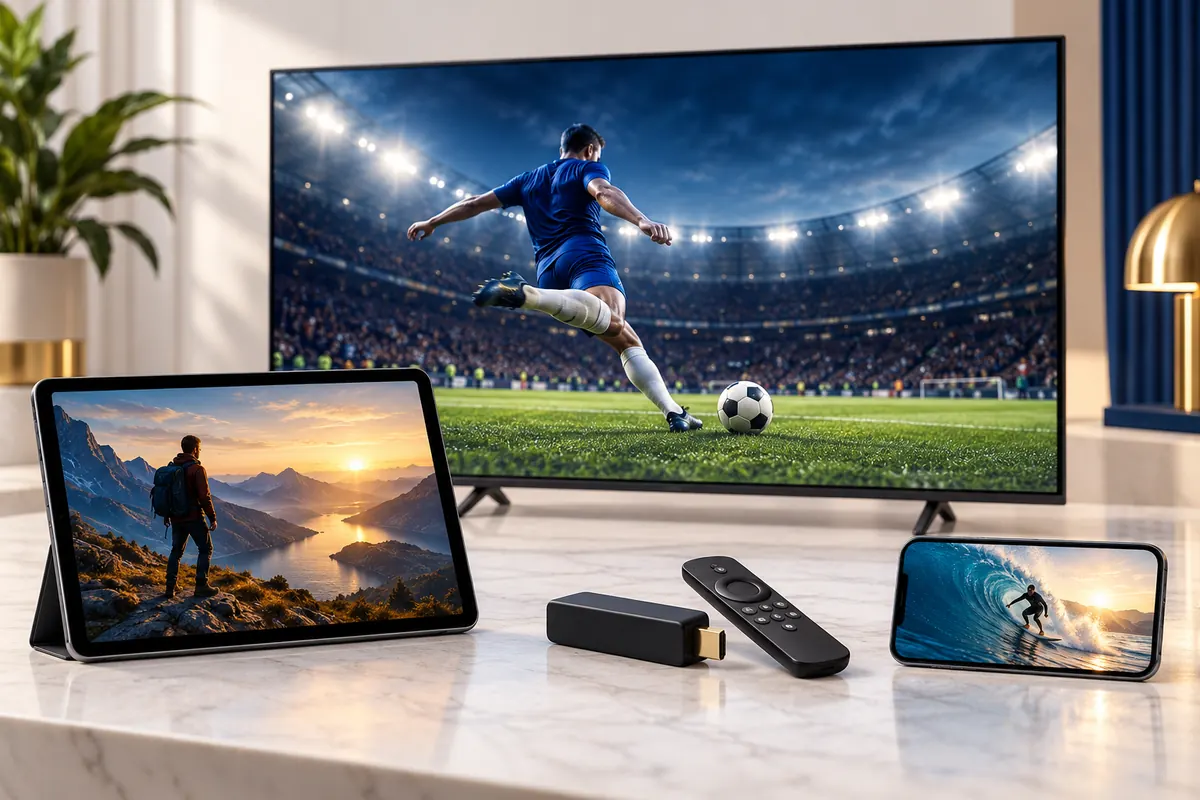
Our IPTV UK installation guide walks through the supported device procedures and app screens. Follow the steps for your own model, not an almost identical one in a video from another provider. If an app asks for a separate licence, confirm whether the plan includes it and how activation works. Keep a copy of your order and setup emails so support can identify the account without asking you to send a password in a public chat.
How much broadband speed do you need for IPTV?
Speed matters, but stability matters just as much. A speed test is a snapshot. Live sport is a sustained stream that has to arrive without long gaps for the whole match. The right target depends on picture resolution, compression, the number of simultaneous screens and what else your household is doing online. As a point of reference for a major streaming service, Netflix recommends at least 15 Mbps for its 4K/UHD streams. That is not a universal IPTV UK requirement and does not guarantee a live sports feed will run flawlessly at the same speed.
For one 4K screen, give the connection sensible headroom beyond the minimum quoted by any service. Two TVs, a game download and a cloud backup can share one broadband line, so the speed available to the TV may be much lower than the package label. Test on the device or at least near its Wi-Fi location, not only beside the router. If possible, compare the same channel over Wi-Fi and Ethernet. A stable lower-resolution stream is often better than a constantly freezing 4K option.
Buffering can come from the provider’s server, internet routing, Wi-Fi interference, an overloaded device, an outdated app or the programme source itself. No honest seller can guarantee “zero buffering†on every home network and every broadcast. The useful promise is responsive diagnosis and a practical way to report the affected channel, time, device and connection. That gives support something to fix rather than a vague complaint.
How do you set up an IPTV UK subscription?
Start with the screen you will actually use. Check that its app store or operating system supports the recommended player. If you plan to watch on a Fire TV Stick, make sure it is connected to the right Wi-Fi network and has current software. For a Smart TV, find its model number and app-store region. These small checks prevent most of the “the app isn’t there†messages that arrive after a purchase.
Next, follow the provider’s order and activation instructions. Best British IPTV describes a one-off plan payment flow, with a payment link and then account details sent by email after preparation. Do not treat an order confirmation alone as working credentials. Wait for the setup details and check your spam folder if the expected message has not arrived. If an email contains a link, inspect the sender and destination before entering payment details. Ask support if anything looks different from the published process.
Install the supported player, enter the credentials exactly as issued and allow the programme guide to load. Test a regular live channel and an on-demand title before changing lots of settings. Save the account email and note which device you used. If you run into a problem, tell support the player name, device model, connection type and the exact error. The step-by-step setup page is a better starting point than guessing at codes from social media.
Can one subscription run on several screens?
“Works on many devices†and “plays on several devices at once†are different claims. You may be able to install the app on a TV, tablet and phone, but the plan may allow only one simultaneous stream. If someone opens a second channel at the same time, the first device may stop or the login may be restricted. Ask for the permitted number of concurrent connections, not just a list of compatible hardware.
The Best British pricing section lets you select one to five devices. Before ordering, check the selected connection count and the total displayed for the chosen term. A household with one living-room TV may not need extra connections. A family watching two different programmes at the same time probably does. Buying too few creates frustration; buying more than you will use adds cost without improving picture quality.
If the service uses device activation or a player licence, ask whether moving to a replacement TV requires a reset. Keep account details private. Sharing a login widely is not the same as paying for extra household connections, and it may trigger account protections. The sensible setup is to match the plan to the real number of people watching concurrently.
What should football fans check before match night?
Live sport is a demanding test for any IPTV subscription UK customers use. A film can sit in a buffer while you watch; a live match has much less room to hide a late feed. Busy events also bring more people online at once. Start with the exact competitions and events you follow. A claim such as “all sport†is too broad to answer whether one particular match, pay-per-view event or commentary option is available to you.
Ask about the source resolution for the channels you care about. HD, Full HD and 4K are not interchangeable. A 4K television cannot create detail that was never present in the feed. Check whether your device and player support the required format and whether your internet connection has headroom for it. Then watch a few minutes of a normal live programme on the same setup you will use for football. That is more revealing than a polished screenshot from a sales page.
Time delay is another detail. Internet live TV normally arrives later than an over-the-air signal because encoding, delivery and buffering take time. The delay can vary by provider and device. If someone next door cheers before you see the goal, it is not necessarily a fault with your television. Be cautious of absolute “zero delay†promises. For a better match night, use a wired connection when possible, update the player before kick-off and avoid a large download on the same network.
What does “IPTV UK with VPN†actually add?
A VPN creates an encrypted connection between your device or network and a VPN endpoint. It can limit what an observer on the local network sees about the traffic between those points. It is not a licence to watch a channel, a guarantee of anonymity or a cure for a poor stream. The VPN operator and the IPTV service may still handle account data, and the connection after the VPN endpoint still depends on the services involved.
When a provider says VPN protection is “built inâ€, ask what that means in practice. Is the protection supplied by an app, a network setting or the service’s own delivery route? Which devices and traffic does it cover? Will it work outside the provider’s player? Is there a separate fee, a sign-in or a privacy policy explaining what information is retained? A clear technical answer is more useful than a shield icon with no explanation.
Best British IPTV advertises integrated VPN protection. That is a product statement to confirm in the setup information, not a reason to ignore content rights or basic account security. Use a strong unique password where one is offered, keep your device updated and avoid sending login details to anyone who contacts you unexpectedly. If your device is already running another VPN, check with support before stacking two connections, since that can complicate troubleshooting.
Is IPTV legal in the UK?
The delivery technology is legal. The important question is whether the service has the necessary rights to supply the programmes you watch. A Smart TV can receive authorised internet channels, and it can also be used with an unauthorised source. The same physical box does not make every stream lawful. The UK Intellectual Property Office’s guidance on illicit streaming devices explains why services or modified devices that provide unauthorised access to protected content should be avoided.
Do not assume that a British-sounding name, a professional website, a large channel list or a card-payment option proves content rights. Equally, a generic “third-party providers†disclaimer does not settle the question for a customer. If legal access matters to you, ask the seller how it is authorised to offer the specific channels and events in the plan. For a particularly valuable sports package, check with the rights holder or an official distributor if you remain unsure.
This article is general information, not legal advice and not a certification of any individual service’s rights. The site’s disclaimer explains its stated content arrangement, but readers should still make their own checks. A reputable provider should not be offended by reasonable questions about rights, payment records, company details or what happens when a channel is removed.
How do you compare British IPTV providers?
Start with things you can verify, not superlatives. First, check that the site identifies the plan term, price, simultaneous connections and what the price includes. Second, read the setup procedure for your exact device. Third, look for a written refund policy with conditions you can understand. Fourth, check the available support route. Fifth, find out whether payment recurs automatically. These questions are more useful than trying to rank every website that calls itself the “best IPTV UK†provider.
Look at how a provider responds when you ask about a specific problem. Can it distinguish a Wi-Fi fault from a channel fault? Does it explain what information it needs without asking for unnecessary personal data? Is there a clear way to report a service issue and follow up? A clean design is pleasant, but the real test is whether the business can support the plan after you have paid.
Read reviews carefully. A screenshot can show a genuine conversation, but it cannot prove the experience every customer will have today. Give more weight to detailed descriptions of setup, match-night performance and support than to star ratings alone. Be wary of sites that hide their terms, pressure you to pay immediately, promise every premium broadcast for an implausibly low price or insist on a payment method with no usable record.
What does an IPTV subscription cost in the UK?
Prices vary with the length of service, number of concurrent connections, included app licence, support and the content offered. A cheaper annual price per month is not automatically the better choice if you are unsure the service works on your setup. A short term can be a sensible way to test the everyday experience, while a longer plan reduces how often you need to renew. Look at the total in pounds, not only a large discount percentage.
For this site, the current pricing section offers three-month, six-month, twelve-month and Lifetime enquiry options, with one to five device choices. Check the selected device count before comparing totals. A displayed “was†price should be treated as a comparison claim, so judge the actual amount you will pay. If the offer says “save 40%â€, that does not tell you whether your preferred channels, player and support are right for your household.
Best British describes one-off subscription payments and no automatic renewal. The published order process uses a payment link sent by email, followed by preparation and account details. Keep a copy of the plan summary and payment confirmation. If a request arrives from an unexpected email address or asks you to send card details in chat, stop and check through the site’s official contact route. Never assume a countdown timer is proof that a price will disappear at midnight.
What should a refund policy and support service say?
Read the actual policy before ordering, especially if you are comparing several IPTV subscriptions UK sellers offer. How many days do you have to report a problem? What information will support ask for? Does the policy apply to a change of mind, a service-side fault, or both? How long may troubleshooting take? Those details matter more than a large “money-back†seal on a page.
The voluntary 14-day guarantee described on this site is conditional. It applies where there is a confirmed fault with the service that the team cannot resolve within a reasonable time after you have completed reasonable troubleshooting with support. It is not a blanket promise to refund every working subscription simply because you changed your mind. Read the current refund policy for the published terms and contact the team promptly if the service fails. Consumer rights under UK law are separate from a seller’s voluntary guarantee; GOV.UK has general guidance on those rights.
Good support should ask focused questions: which device, which player, which channel, when the problem happened and whether another channel works. It should tell you what to try and what it will check on its side. Keep the exchange and screenshots of any error. That record helps both sides, and it is especially useful if you need to refer back to the promise made when you bought the plan.
What should families check?
A family-friendly IPTV UK setup begins with the channel list and the default settings. Ask whether adult channels are excluded unless requested, whether a parental PIN is available and how quickly settings can be changed. A player’s parental control only helps if the service and every device in the house use it consistently. Check the tablet in a child’s room, not just the main television.
Look at how profiles, favourites and recently watched items work. A simpler home screen can make the service easier for children and older relatives to use without exposing a long mixed catalogue. If a provider says its plan is suitable for families, ask for the practical steps behind that statement. One line of marketing copy cannot replace a tested setup.
Finally, remember that multiple people watching at once may need additional connections. If the living-room TV and a bedroom tablet start separate streams, the plan must allow that. Choose the connection count based on actual household use and keep the account credentials with the adult who manages the subscription.
What should you do if IPTV keeps buffering or will not load?
Work from the simplest test outward. First, open another ordinary website or video on the same device. If that also fails, the problem may be your broadband or Wi-Fi. Restart the player, then the device, and check whether the router is online. If you can, try an Ethernet cable or move closer to the Wi-Fi access point. Pause downloads on other devices for a few minutes and see whether the stream improves.
If only one IPTV channel fails, test a second channel and an on-demand title. Note their names and the time. That comparison helps support distinguish a broken source from a general account or network fault. If the player displays a login error, check that the credentials were copied exactly and that the subscription term is still active. Do not keep resetting passwords or reinstalling the app without a reason, since that can make the diagnosis harder.
For a persistent issue, send support the device model, app version, connection type, approximate download speed at the device and a photo of the error if one appears. Say whether it happens on every channel or only at particular times. That is enough to start a useful investigation. There is no magic “antifreeze†switch that can repair an unstable home network, but a competent team can help identify where the fault sits.
Quick questions about IPTV UK
Do I need an IPTV box?
Usually not. A compatible Smart TV, streaming stick, phone, tablet or computer can run a suitable player. Check the exact model and app first. A separate box can help an older TV, but it does not improve the rights or reliability of the service supplying the channels.
Does an IPTV subscription include the app?
It depends on the provider. Some give access through their own app, while others supply account details for a separate player. If the player charges a licence fee, ask whether it is included. The plan and the player are two different things, even when the provider helps you install both.
Can I watch IPTV UK while travelling?
Some services work on a phone or tablet away from home, but regional rights, network restrictions and the provider’s own rules may limit availability. Confirm where the plan is meant to work before relying on it abroad. A VPN does not change the legal rights attached to a programme.
Will IPTV replace my aerial?
It can provide an alternative route to television if the channels you need are available and you have stable broadband. Keeping an aerial can still be useful for free-to-air channels when your internet is down. Choose based on your actual programmes, connection and rights requirements rather than assuming one technology must replace the other.
Why does live IPTV run behind a radio or aerial broadcast?
The live picture has to be encoded, transmitted and buffered before it reaches your screen. That process adds delay. The amount varies by feed and player. It is normal for a neighbour watching through a different route to see an event first, although an unusually long delay is worth reporting.
The sensible next step
IPTV is a delivery method, not a guarantee. A worthwhile IPTV UK subscription should make the practical details easy to find: channels relevant to you, compatible devices, a clear connection count, a price in pounds, understandable payment and refund terms, and support that can deal with real faults. Check content rights before treating any seller’s catalogue as authorised. Then test the service on the actual screen and connection you plan to use.
If Best British IPTV is on your shortlist, read the installation guide, check the refund conditions and select the number of devices you need. The product page describes the current British IPTV plan, but your own questions still matter. Ask them before paying. A good choice is one you understand clearly when the match starts, not one that only looked impressive on a sales page.
Ready to check the current offer?
Select your devices and order the term that suits you.